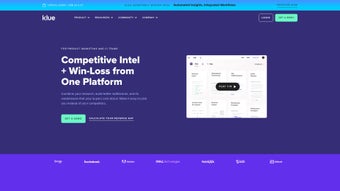

Download Klue – AI‑Powered Competitive Intelligence Platform for Secure Market Insight
Overview
Klue is a comprehensive competitive intelligence solution designed for product marketers who need a secure, AI‑driven way to collect, analyze, and distribute market insights. The platform centralizes competitive data from multiple sources—news, webinars, social media, analyst reports, and internal documents—into a single, searchable repository that can be accessed from any device. By applying sophisticated machine‑learning algorithms, Klue automatically highlights emerging trends, flags potential threats, and surfaces opportunities before they become mainstream.
This real‑time intelligence fuels go‑to‑market strategies, enabling teams to craft sharper positioning, more persuasive battle cards, and data‑backed sales enablement content. Beyond raw data, Klue offers a library of templates, playbooks, and on‑demand webinars that help users translate insights into actionable plans. Security is baked in: all data is encrypted at rest and in transit, with role‑based access controls ensuring that only the right people see the right information.
Integrations with leading CRM, product management, and collaboration tools such as Salesforce, HubSpot, Slack, Microsoft Teams, and Jira make the flow of intelligence seamless across the organization. Whether you’re a startup looking to outmaneuver incumbents or an enterprise seeking a unified view of competitive activity, Klue provides the infrastructure to turn noisy market chatter into a strategic advantage. The platform is continuously updated, delivering new AI models and feature enhancements without requiring manual patches, so you always work with the latest tools.
By combining security, scalability, and AI‑powered analytics, Klue positions itself as a vital software tool for any team that wants to stay ahead of the competition.
Key Features & Benefits
- AI‑Driven Data Aggregation: Automatic crawling of web, news, and social feeds, with relevance scoring and de‑duplication.
- Central Knowledge Hub: One searchable repository for all competitive intel, tag‑based organization, version control, and full‑text search.
- Insight Analytics: Trend detection, sentiment analysis, heat‑maps, and predictive alerts that surface market shifts instantly.
- Collaboration Tools: Real‑time editing of battle cards, sharing via Slack or Teams, comment threads, and approval workflows.
- Secure Access Management: Role‑based permissions, SSO integration, MFA, and AES‑256 encryption at rest and in transit.
- Seamless Integrations: Native connectors for Salesforce, HubSpot, Microsoft Dynamics, Jira, Confluence, Google Workspace, and more.
- Content Templates & Playbooks: Ready‑made frameworks for competitor comparison, win‑loss analysis, market sizing, and go‑to‑market planning.
- Custom Reporting: Exportable dashboards, PDF briefings, scheduled email digests, and API access for downstream tools.
- Customer Feedback Loop: Capture sales, support, and product feedback directly into the intel pool for a 360° view.
- Scalable Architecture: Cloud‑native infrastructure that grows with your data volume, user base, and geographic footprint.
These capabilities work together to dramatically reduce the time spent on manual research, increase data accuracy, and empower product teams to make evidence‑based decisions. The AI engine continuously learns from user interactions, refining relevance scores and recommending new sources as your market evolves. By unifying competitive intelligence into a single, secure platform, Klue eliminates siloed spreadsheets and disparate notes, creating a culture of shared knowledge that drives faster product iteration and more compelling messaging.
Teams can also set up automated alerts that notify stakeholders via email or mobile push when a competitor launches a new feature or when sentiment shifts dramatically, ensuring that no critical development goes unnoticed. The platform’s modular design means you can start with a core set of features and expand over time, adding advanced analytics or deeper integrations as your needs grow. Whether you view Klue as a data‑gathering tool, a reporting engine, or a collaborative workspace, its flexible architecture adapts to each use case while maintaining a consistent, secure user experience across Windows, macOS, Linux browsers, and mobile apps for iOS and Android.
Installation, Usage & Compatibility
Getting started with Klue is straightforward and requires no complex on‑premise setup. After purchasing a subscription, you receive a secure invitation link to create your administrator account. Because the core platform is web‑based, there is no local software to install; simply log in from any modern browser on Windows, macOS, or Linux. For teams that need deeper integration with local file systems or offline capability, Klue offers a lightweight desktop connector for Windows 10/11 and macOS 12 and later that syncs local documents and ensures continuity when connectivity is intermittent.
Step‑by‑Step Setup
- Create your admin profile: Follow the email invitation, set a strong password, and enable two‑factor authentication for added security.
- Define user roles: Assign “Analyst,” “Editor,” or “Viewer” permissions based on departmental needs and compliance requirements.
- Connect data sources: Use built‑in connectors to link your CRM (Salesforce, HubSpot), marketing automation (Marketo, Pardot), and collaboration tools (Slack, Teams, Confluence).
- Configure AI crawlers: Choose the markets, competitors, and keyword sets you want the AI to monitor; set frequency (hourly, daily, weekly) and define relevance thresholds.
- Import existing intel: Upload CSV, Excel, PDF, or PowerPoint files; Klue automatically tags, indexes, and links related content.
- Train the model: Review the first batch of AI‑suggested insights, mark false positives, and let the system improve its precision.
- Roll out to teams: Share the dashboard link, embed battle cards in your intranet, and schedule a kickoff webinar for adoption.
Klue’s cloud application is compatible with Windows 10/11, macOS 12 and later, as well as Linux browsers such as Chrome, Firefox, and Edge. Mobile access is provided through responsive web design, and native iOS and Android apps are available for on‑the‑go updates.
Once live, users can create “Insight Boards” that pull in AI‑generated summaries, filter by product line, and attach annotations. The platform’s drag‑and‑drop editor makes it simple to assemble battle cards that pull directly from the knowledge hub, ensuring every piece of content reflects the latest data. Regular updates are rolled out automatically; there is no need for manual patching, and a changelog is posted in the “Release Notes” section of the app. For enterprises with strict compliance policies, Klue also offers optional private cloud deployment and data residency controls, giving you the flexibility to keep sensitive intel within your own geographic region while still benefiting from AI‑driven insights.
Pros, Cons & Frequently Asked Questions
Pros
- AI‑driven automation dramatically reduces manual research time.
- Centralized repository eliminates data silos across departments.
- Robust security with encryption, SSO, MFA, and granular permissions.
- Deep integrations with leading CRM, marketing, and collaboration tools.
- Customizable templates and reporting accelerate content creation.
- Responsive web app plus native iOS and Android apps for on‑the‑go access.
- Scalable cloud architecture supports growth from startups to enterprises.
Cons
- Pricing may be high for very small startups or early‑stage teams.
- Initial AI training requires some user involvement to reach optimal relevance.
- Web‑only core can feel limited without the optional desktop connector for offline work.
- Advanced customization (e.g., custom AI models) may require additional professional services.
FAQ
Is Klue a cloud‑only solution?
Yes, the core platform runs in the cloud, providing real‑time updates and secure access from any device. A lightweight desktop connector is available for Windows and macOS for offline syncing.
Can Klue integrate with my existing CRM?
Klue offers native integrations with Salesforce, HubSpot, Microsoft Dynamics, and other major CRMs. Custom APIs are also available for less common systems.
How does Klue ensure data security?
All data is encrypted at rest and in transit using AES‑256. Role‑based access control, SSO, and optional MFA protect against unauthorized access. Audit logs are retained for compliance.
Is there a free trial or demo available?
Klue offers a 14‑day free trial with full feature access. Prospective customers can also request a personalized demo to see the platform in action.
What kind of support does Klue provide?
Customers receive 24/7 email support, a dedicated account manager for Enterprise plans, and an extensive knowledge base with tutorials, webinars, and community forums. Phone support is available on higher‑tier subscriptions.
Conclusion & Call to Action
Klue stands out as a secure, AI‑enhanced competitive intelligence platform that transforms scattered market data into strategic insight. Its deep integrations, robust analytics, and collaborative features make it an essential tool for product marketers aiming to stay ahead of rivals. While the price point may be a consideration for very small teams, the productivity gains, risk mitigation, and ability to scale with your business often justify the investment. If you’re ready to give your product strategy a data‑driven boost, download Klue today or start a free trial to experience the power of AI‑guided competitive intelligence. Secure, constantly updated, and available across Windows, macOS, Linux browsers, iOS, and Android, Klue is the all‑in‑one app that keeps your competitive edge sharp.



.png)



